Example (2) Flow and Bed Variation with Vegetation Growth and Loss
Creating the computational grid
From the main menu, choose [Grid] -> [Select Grid Generation Algorithm] and generate the computational grid following the steps in the animation below.
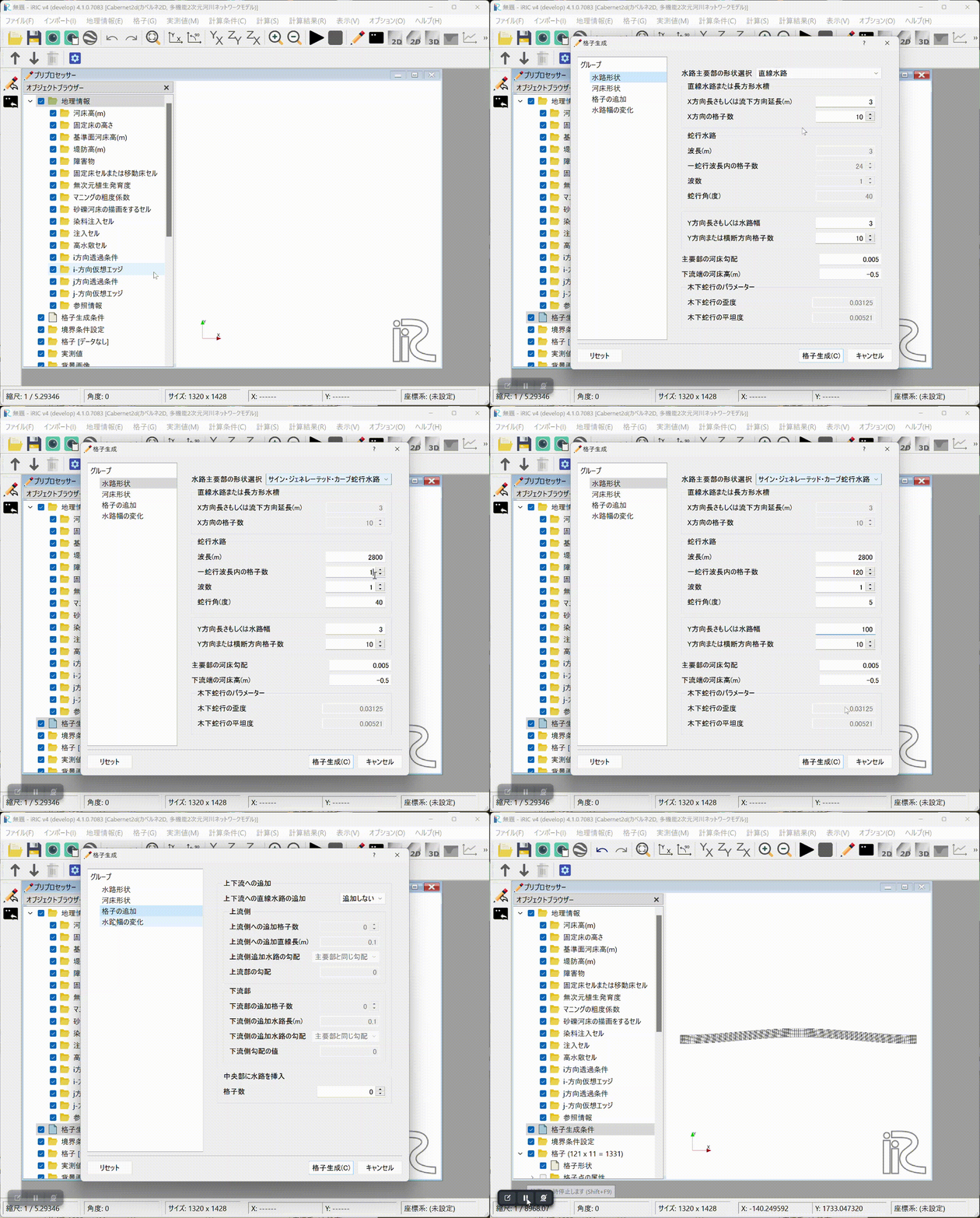
Fig. 16 : Grid generation
Setting the calculation conditions
Set the calculation conditions following the steps in the animation below.
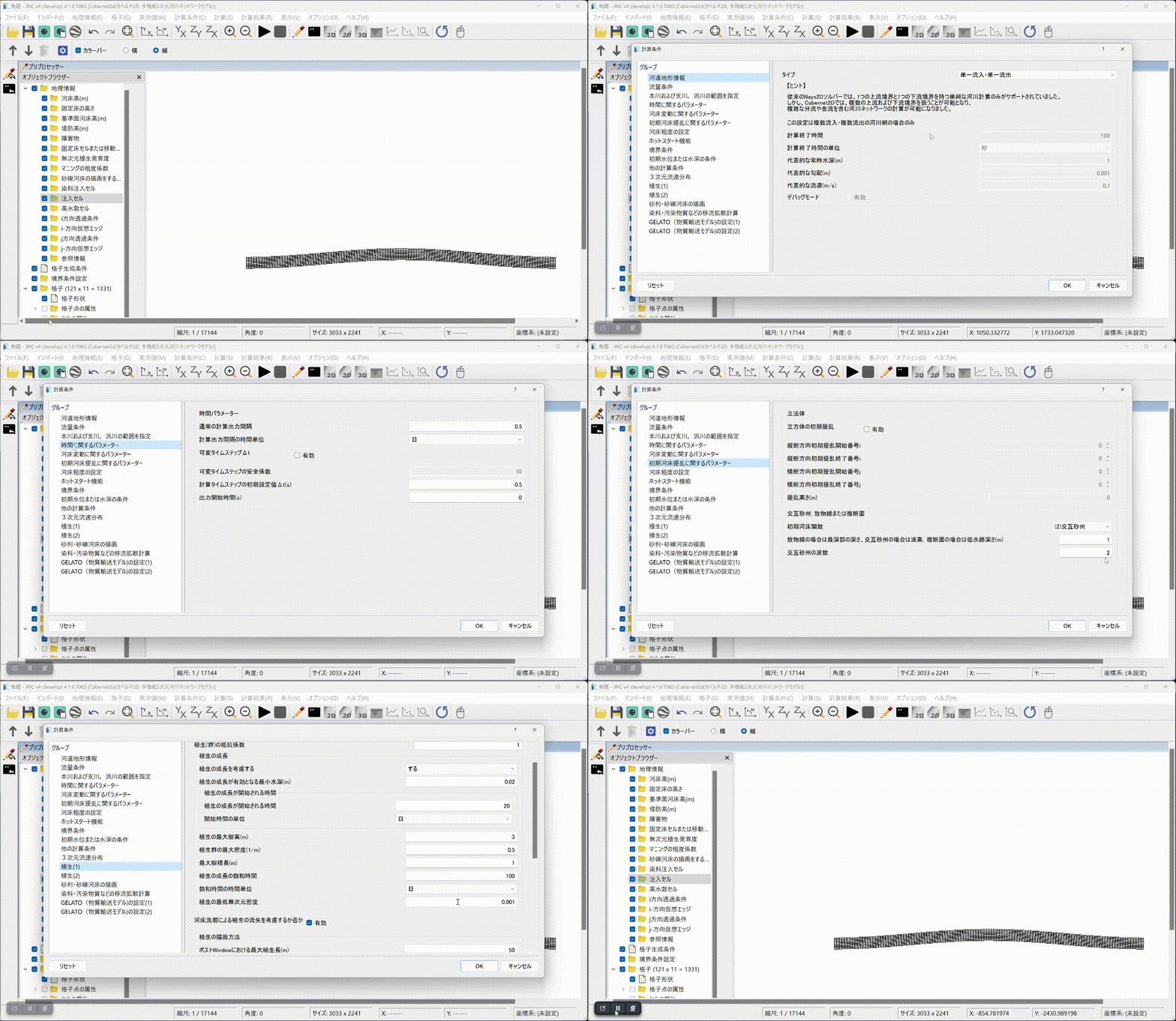
Fig. 17 : Setting the calculation conditions
The discharge hydrograph file loaded during the animation above can be found here.
The calculation condition file can be found here; please download and use it.
Running the computation
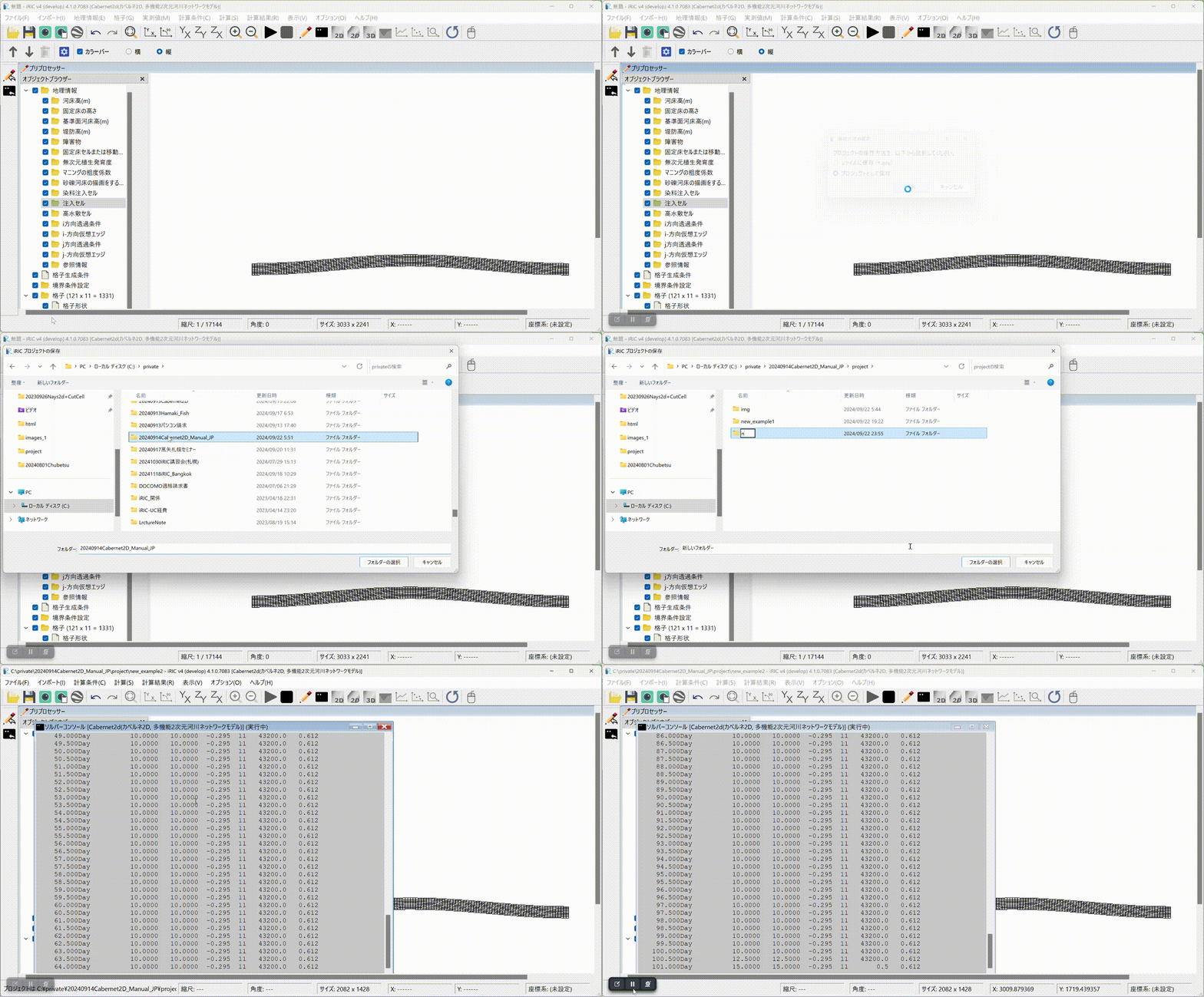
Fig. 18 : Running the computation
Displaying the results and building an animation
Fig. 19 : Displaying the results and building an animation
The above results are also published on YouTube.